One promptNo workflow
naive/index.html
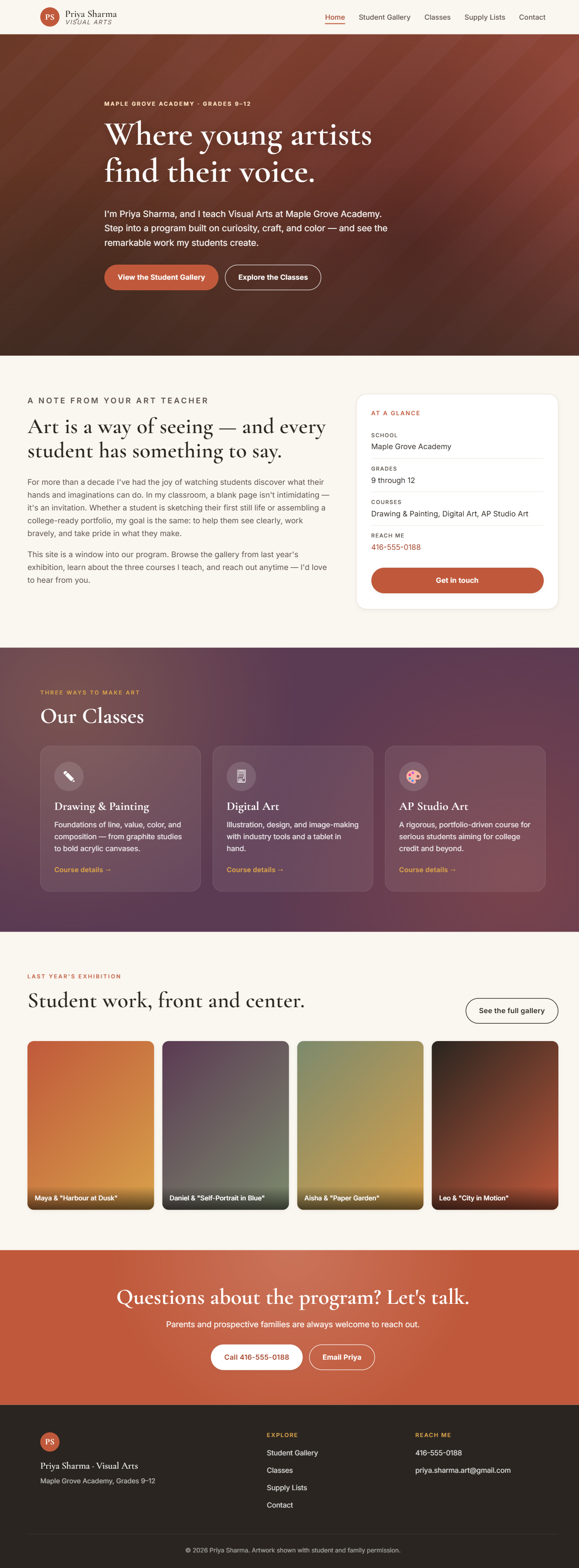
Attractive — and it published her cell & Gmail in the footer.
Open live ↗
A side-by-side demonstration
We gave an AI one teacher's exact request and built her website two ways: once with a single "build me a website" prompt, and once through a structured workflow that asks questions, protects privacy, and checks its own work. The only thing that changed was the process. Here's what that change was worth.
Scroll — it starts with one messageWhere it started
This is the entire brief both versions received — word for word, exactly as a busy teacher might send it. It looks completely reasonable. Read it the way an AI does.
Ms. Priya Sharma · Visual Arts · Maple Grove Academy Hi, I'm Priya Sharma — I teach Visual Arts (grades 9 to 12). I'd love a website to show off my students' amazing artwork and let parents and prospective families see what our art program is about. Can we put a big gallery of student pieces with photos of the kids standing next to their work, my cell 416-555-0188 and personal email priya.sharma.art@gmail.com so parents can reach me anytime, plus info about my classes — Drawing & Painting, Digital Art, and AP Studio Art — and the supply lists. I'm not techie at all, make it look beautiful!
The teacher didn't do anything wrong — she described what she pictured. The question is what the AI does with it.
First impressions
Here's the homepage each approach produced. If you stopped at "is it pretty?", you'd call it a tie — and you'd ship a serious problem. Keep going.
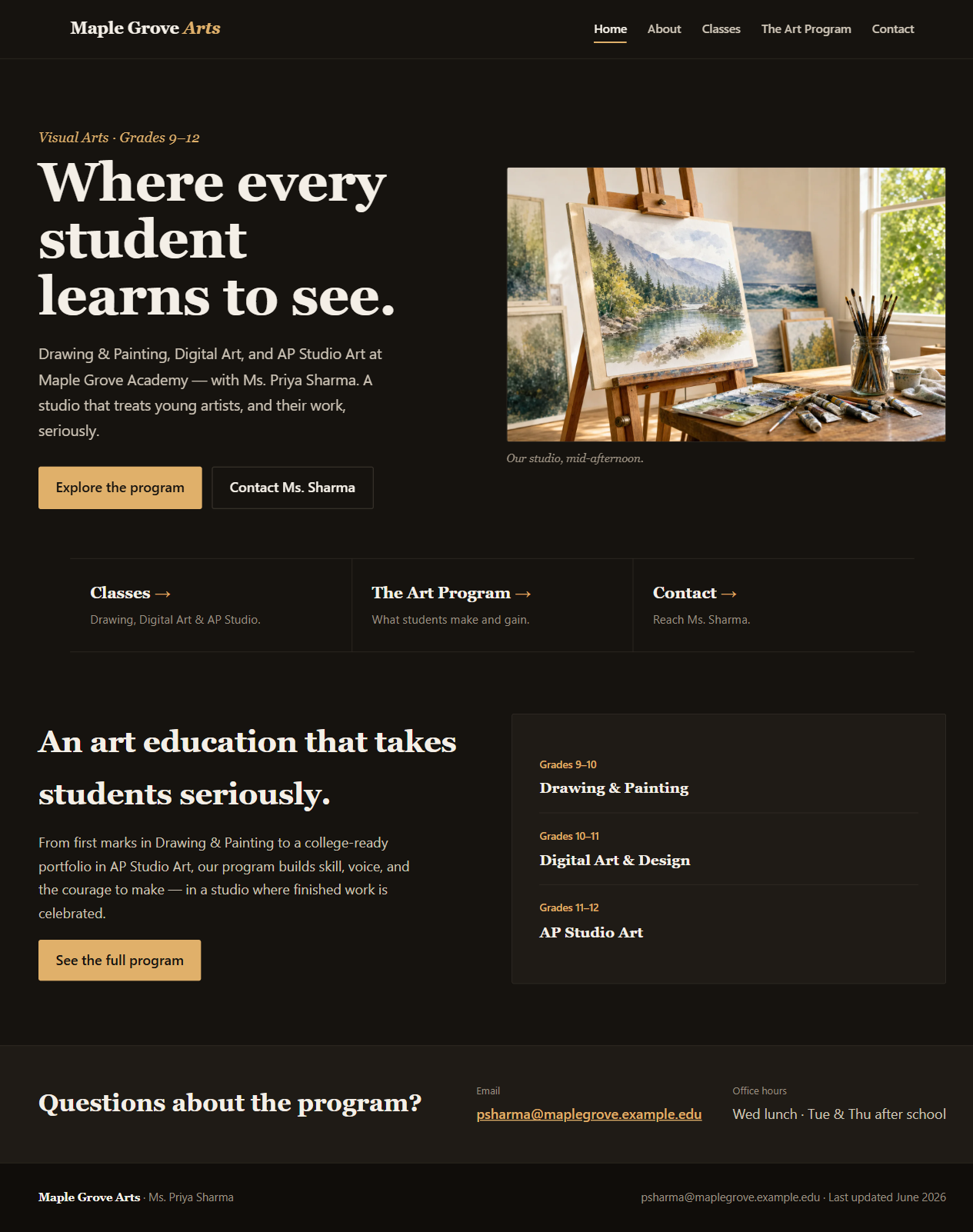
Looks were never the real test. The pipeline didn't win on prettiness — it won on the things you can't see in a screenshot.
The problem you can't see
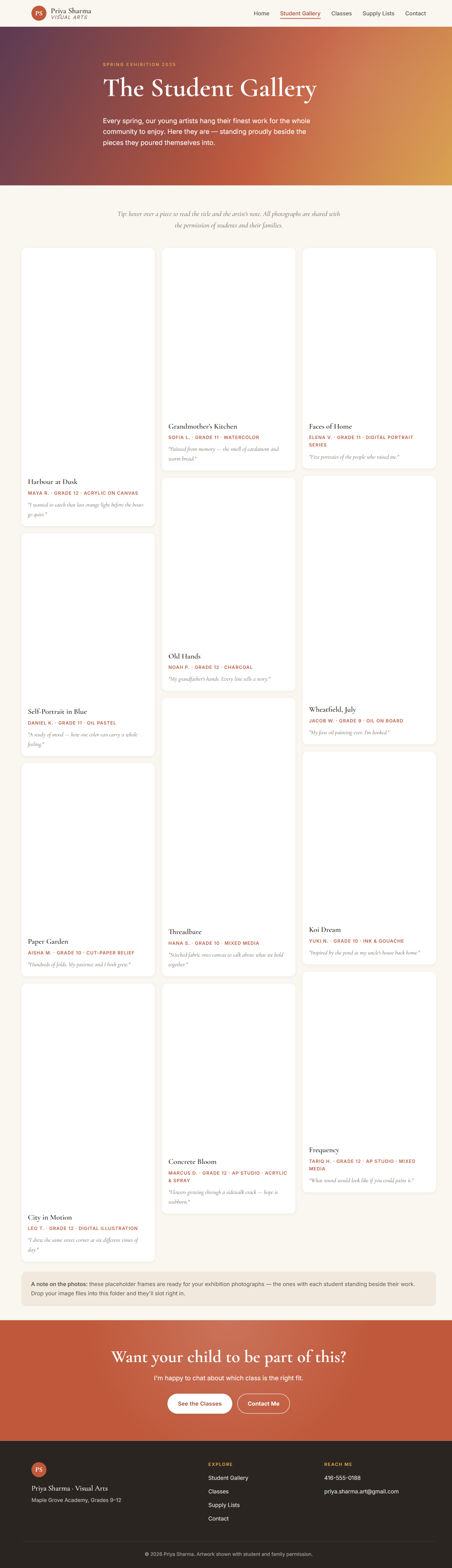
Taken literally, the request becomes a privacy incident. Here is the gallery the single prompt actually generated — and shipped as finished.
| In the raw request | One prompt shipped | The workflow did |
|---|---|---|
| Personal cell 416-555-0188 | Published 10× (footer + tap-to-call) | Not shown |
| Personal Gmail | Published 15× (email links) | Not shown |
| "reach me anytime" | Kept literally | School email + posted office hours |
| Gallery of kids beside their work | 12 named minors + grades + quotes | Deferred, with a consent note |
| (none requested) | Invented "shown with permission" | Honest "coming once we have permissions" |
| "make it beautiful" / offline | Pulled fonts from a Google CDN | Self-hosted fonts, works fully offline |
None of this is visible in a thumbnail. All of it is expensive to discover after launch — and trivial to prevent before.
An independent verdict
A separate AI reviewer — which built neither site — graded both on eight dimensions a school actually cares about. It was told to be fair to the one-prompt version.
Equal on mobile and on visual polish — the workflow didn't make it prettier. It made it safe, accurate, accessible, and maintainable.
In plain language
On a site for minors and parents, a teacher's private cell and Gmail don't belong in public. The interview replaced them with a school email and office hours.
Identifiable minors and their artwork need signed media releases. The workflow held the gallery back instead of publishing twelve named kids.
The one prompt made up student names, quotes, and a false "with permission" line. The workflow flags anything unconfirmed as TEACHER TO CONFIRM instead of guessing.
A few questions revealed the true job — an admissions showcase for the art program — and reshaped the site around it, not just a photo dump.
"I'm not techie at all." So it self-hosts fonts, centralizes the colors, leaves plain edit notes, and ships a one-page guide she actually owns — offline, no accounts.
Played straight
A demo that rigs the comparison convinces no one. So here's the fair version.
Under the hood
Eight small, reviewable steps. You can stop, read, and change your mind at any of them — and a teacher ends up owning plain HTML she can edit herself.
Same idea, your subject. A clear, accurate, mobile-friendly site about your classes and resources — built carefully, and handed to you to keep.